
online free Image Converter
100% Client-Side. Your images never touch a server.
Click to upload or drag & drop
Supports PNG, JPG, WEBP, AVIF, HEIC, TIFF, BMP
image.png
0 KB
Processing image locally…
Online Free Image Converter: Fast, Private & Serverless
Welcome to the ultimate solution for hassle-free image conversion. Whether you need to change a bulk set of camera photos into lightweight web formats or convert iPhone HEIC files into universally supported JPGs, our online free image converter handles it all instantly inside your web browser. Unlike conventional web converters that upload your confidential files to remote servers, our app performs all transformations 100% locally on your machine—guaranteeing complete privacy and maximum speed.
Why Choose Our Client-Side Image Format Converter?
Most online converters require you to send your graphics over the internet to a cloud server, creating security risks and slowing down execution. Our client-side application runs scripts directly on your local system resources via WebAssembly and HTML5 APIs.
- Absolute Data Security: Your images never touch an external server or third-party storage.
- Zero Upload Delays: Because there is no file upload required, conversions complete virtually instantly regardless of your internet connection speed.
- Flexible Format Compatibility: Easily convert between high-density and compressed extensions including PNG, JPG, WEBP, AVIF, HEIC, TIFF, and BMP.
- Granular Quality Controls: Tailor output compression rates directly to balance file size against visual fidelity.
Step-by-Step Guide: How to Convert Your Images
Converting graphics on Converters.pro requires only a few clicks. Follow these steps to transform any image format in seconds:
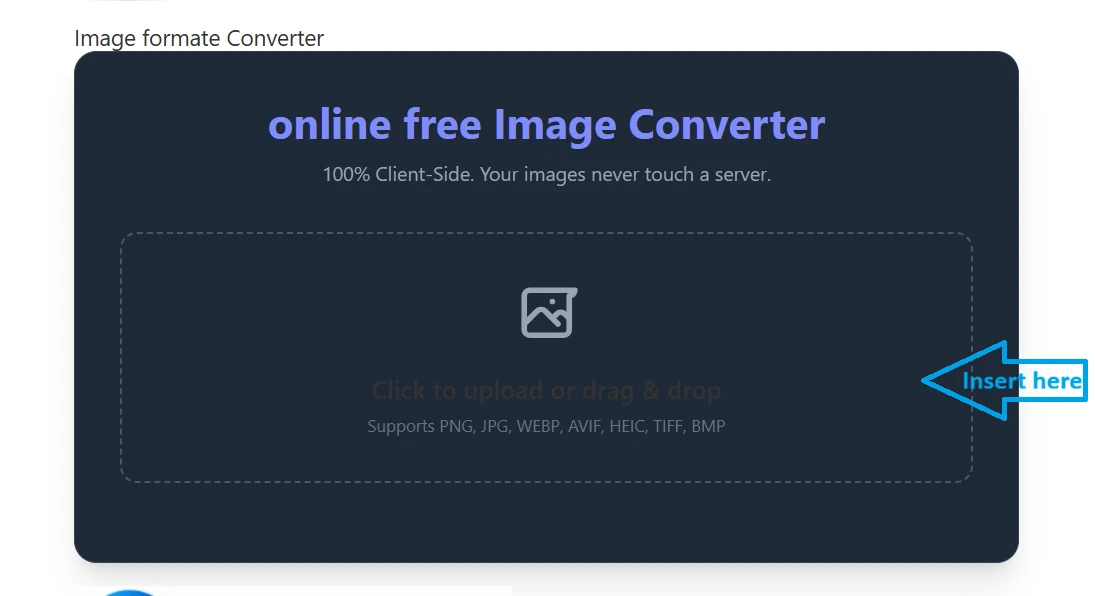
Step 1: Upload or Drag & Drop Your Image
To begin, navigate to the upload interface. You can click inside the dropzone or drag and drop your target file directly onto the interface.
Step 2: Select Target Format & Adjust Compression Quality
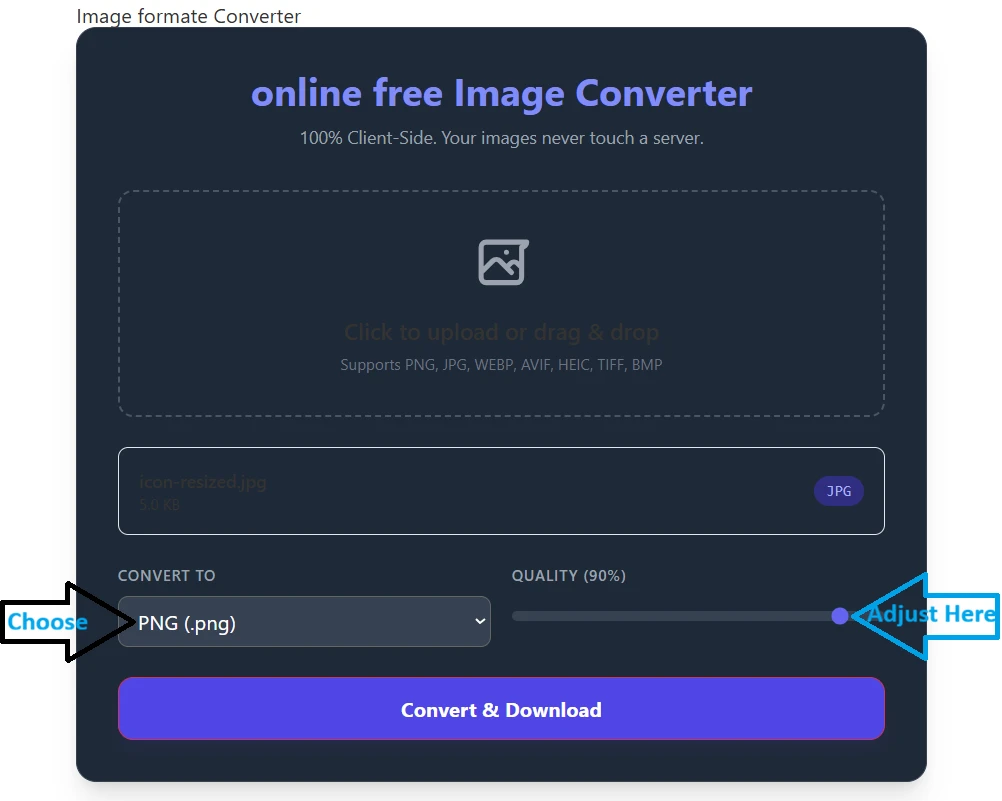
Once your file is loaded, select your desired output extension from the dropdown menu (e.g., PNG, WEBP, or JPG). Use the interactive Quality Slider to set your preferred file size and resolution balance.
Step 3: Convert & Download
Click the Convert & Download button to execute the script. Your converted file will save straight to your device’s default download folder.
Explore More Free Web Utilities
Looking to process other types of media or text files directly inside your browser? Check out our suite of browser-based conversion tools on Converters.pro:
- Image Format Converter – Convert PNG, WEBP, JPG, HEIC, and AVIF instantly.
- All Utility Tools – Discover our full collection of client-side web utility tools.